TikTok Shop Summit - Microsite
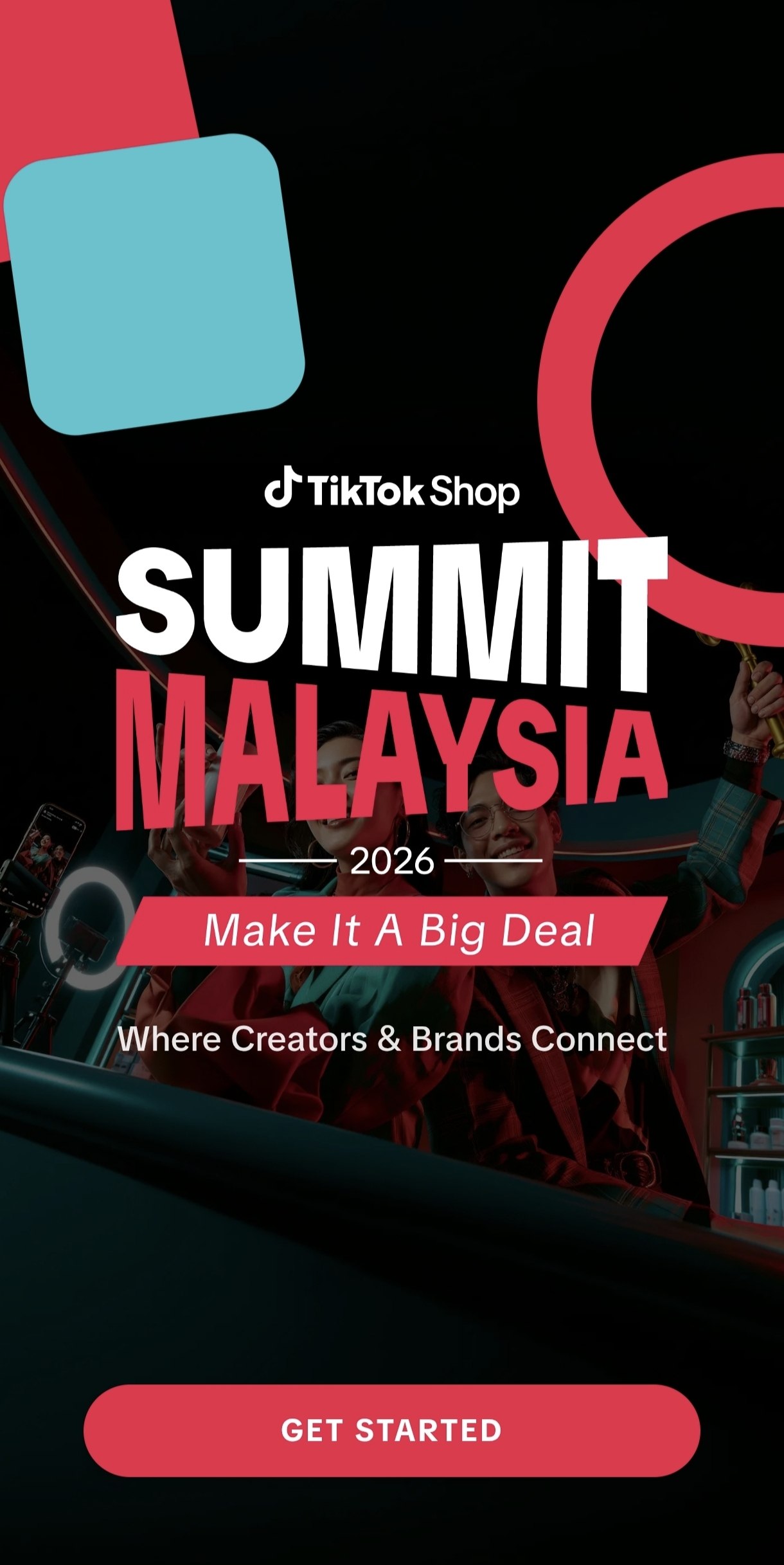
The registration and in-event app for TikTok Shop Summit Malaysia 2026 — creator sign-up, live agenda, and creator-brand networking for a single-day brand activation
- Role
- Full-stack developer, TechVerse Productions
- Year
- 2026
Live events don’t get a second deploy once the doors open — the app had to work for thousands of creators, brands, and partner agencies walking in on day one.
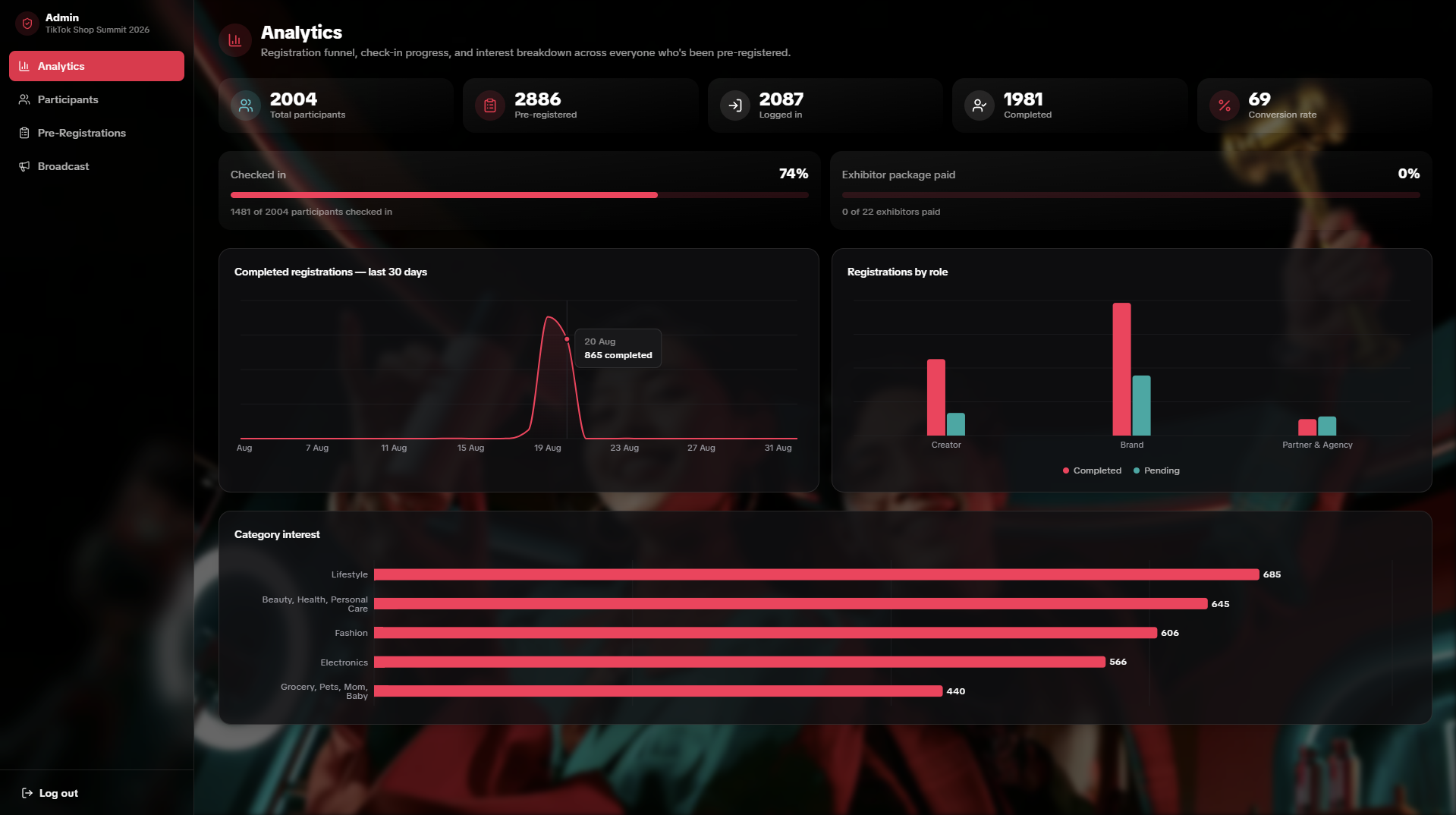
2,003 completed registrations · 74% check-in rate · 923 creator–brand connections made in-app — the numbers this app actually produced on the day, broken down fully at the bottom of this page.
Overview
TikTok Shop Summit Malaysia 2026 was a single-day brand activation at The Arch Galeries KL bringing creators, brands, and partner agencies together under one roof — exhibitor booths, agenda sessions, and structured creator-brand matchmaking. That format only works if the tech holds: attendees needed a single place to register ahead of time, then actually rely on during the event itself — finding the right booth, catching a session, messaging a brand — instead of falling back to printed schedules or a generic form tool. And because it’s a one-day event, there’s no such thing as a quiet second attempt; whatever ships has to work in front of thousands of people on the first try, with no dress rehearsal.
I built this as a full-stack developer under TechVerse Productions, working closely with Teoh Sing Jian and the rest of the team, over roughly five and a half weeks (294 commits, mid-July to mid-August) leading into the event. The visual design was handed off by the project’s UI designer as high-fidelity screens; I built the actual product from that handoff and adapted the UI myself as client feedback came in through the build, alongside owning the full stack underneath it — architecture, database, APIs, integrations, deployment, and everything described below.
Tech stack
| Technology | Used for | Why this one |
|---|---|---|
| Next.js 14 (App Router) | The whole app — pages, API routes, middleware | One framework for both the server-rendered attendee app and the JSON API routes the admin panel and integrations call, deployed as a single unit |
| TypeScript | Everything | The schema changed constantly (23 migrations across the build) — types catch a renamed/removed column at compile time instead of in front of a user |
| Supabase (Postgres, Auth, Storage) | Database, authentication, avatar storage | Row Level Security enforced at the database layer, not just in application code — a compromised API route still can’t do more than the DB policy allows |
| Tailwind CSS + shadcn/ui | UI layer | Fast to build consistently from a design handoff; component primitives instead of hand-rolling every dropdown and modal |
| Ably | Realtime inbox/chat between matched creators and brands | Managed pub/sub — no realtime infrastructure of my own to run or scale on event day |
| Firebase Cloud Messaging | Push notifications | Session reminders and connection alerts that reach attendees even when the app isn’t open |
| Resend | Transactional email | Registration confirmation emails, decoupled so an email failure never blocks or fails the registration itself |
| Google Sheets API | Live sync out to the ops team’s spreadsheet, bulk import back in | The event’s ops/marketing team already lived in Google Sheets — meeting that workflow beat asking them to change it |
| Vercel | Hosting and deployment | Serverless functions scale per-request automatically — 3,000 people hitting the API isn’t a single-box capacity problem the way a database is |
| Sentry | Production error monitoring | Errors surface as alerts instead of as a support ticket with no stack trace |
| Grafana k6 | Pre-event load testing | Scriptable load bursts against the real check-in endpoint, so the busiest five minutes of the day got tested before it actually happened |
What the app does
For attendees:
| Feature | What it does |
|---|---|
| Registration wizard | Multi-step sign-up branching by creator, brand, or partner agency, with resume-in-progress if someone drops off mid-flow |
| Home hub | Exhibitor directory, getting-here/parking info, and a where-to-eat guide for the venue |
| Agenda | Session schedule for the day, with reminders |
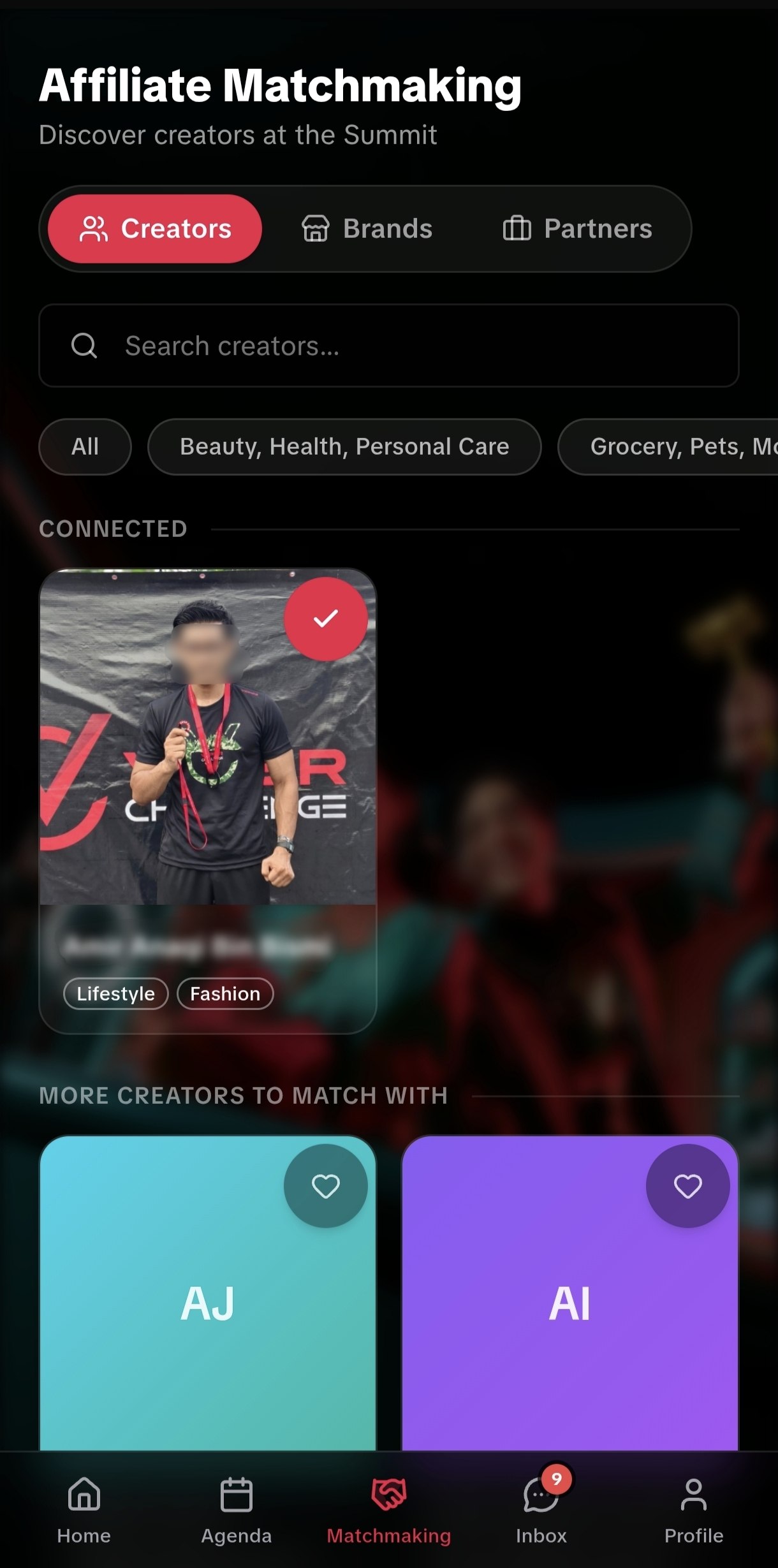
| Matchmaking (Explore) | Browse creator and brand profiles, tap Connect to start a conversation |
| Inbox | Realtime chat with connected creators/brands, powered by Ably |
| Profile | Manage your own creator/brand/PIC profile, avatar, and public profile link |
| Push notifications | Session reminders and connection/message alerts via Firebase Cloud Messaging |
| Add to Home Screen guide | Step-by-step iOS/Android install guide so the web app behaves like a native app on the day |
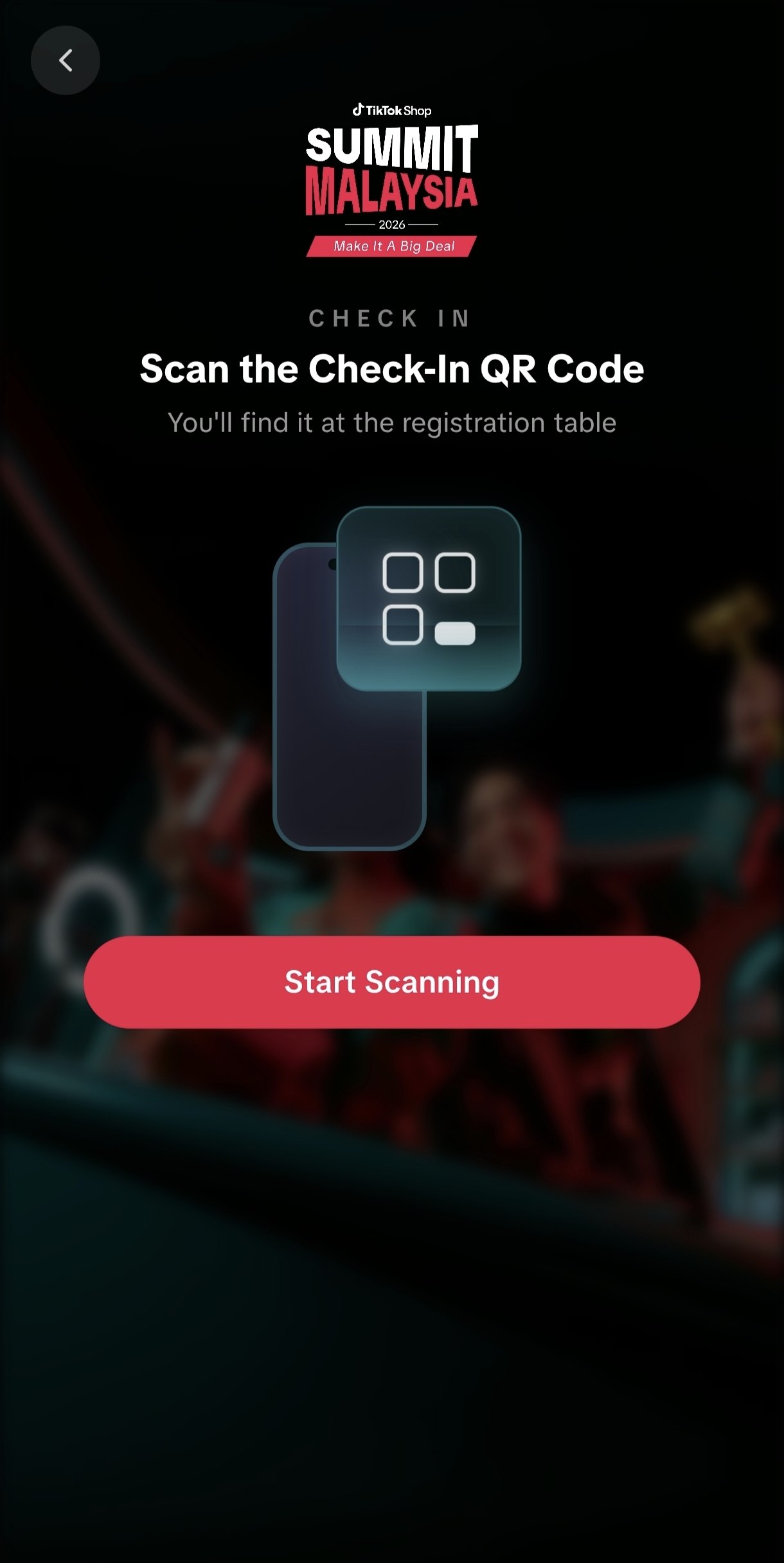
| QR check-in scanner | Attendees scan a QR code themselves at the door to check in — self-service, not staff-operated |
For the ops team (admin panel):
| Feature | What it does |
|---|---|
| Password + email-OTP login | A second, separate gate from attendee auth — admin access isn’t just “logged in as staff” |
| Analytics dashboard | Live registration, check-in, and matchmaking numbers during the run-up and the event itself |
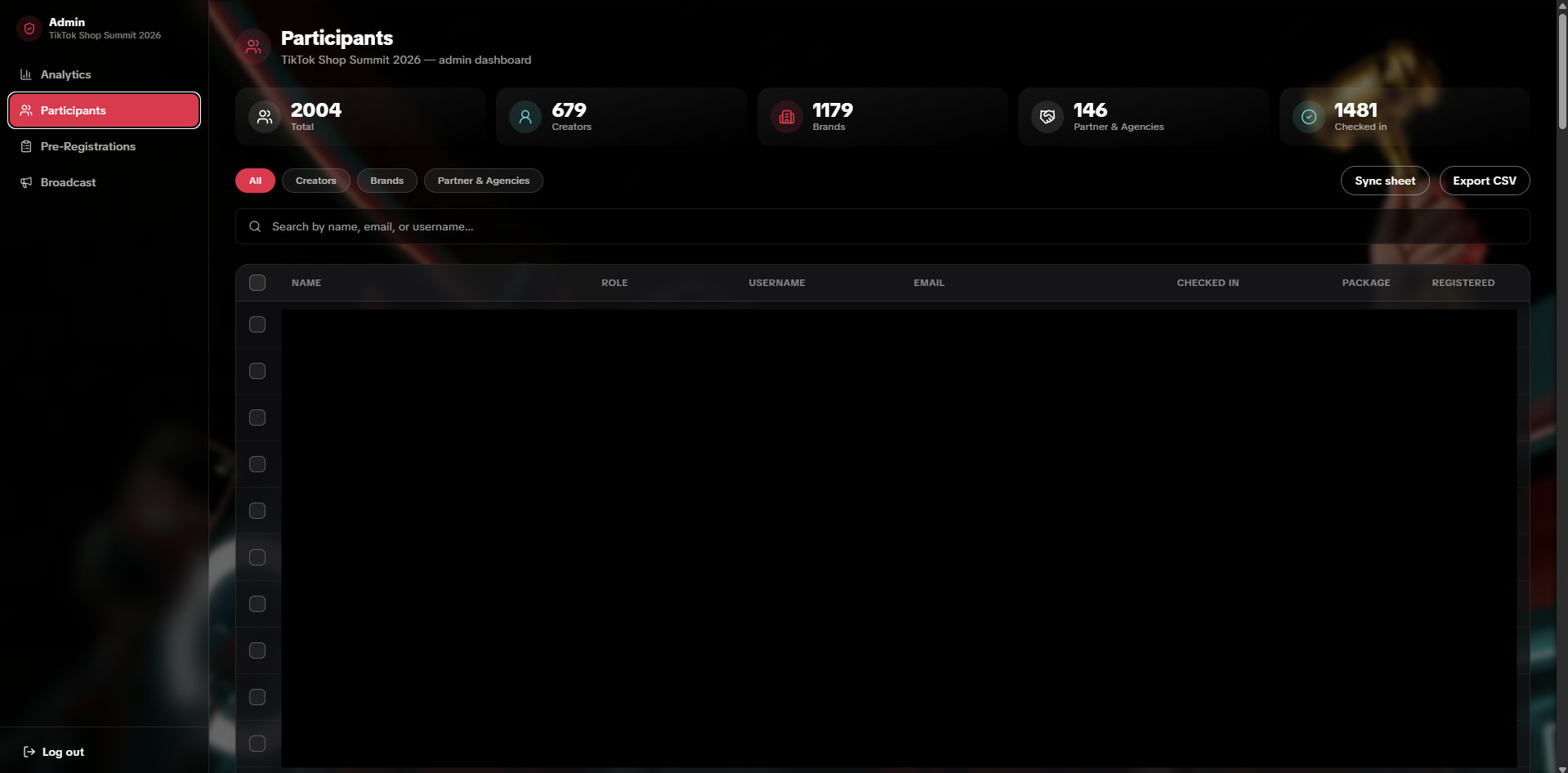
| Participants | Search and manage completed registrations, with a manual “Sync sheet” button to force a re-sync on demand |
| Pre-Registrations | Bulk CSV/Excel upload so staff can pre-register attendees ahead of time — they then just log in and finish their own profile |
| Google Sheets live sync | Every registration insert/update/delete pushes automatically into the correct tab of the ops team’s shared sheet |
Building it
The UI, from design to build
The visual design was designed by the project’s UI designer and handed off as high-fidelity screens. From there I built the actual product — translating that into a real, working Next.js app — and kept adapting it myself as client feedback came in through the build, rather than the design being a fixed spec handed down once.
CI and quality gates on GitHub
Every pull request into main runs through GitHub Actions before it can merge:
- A full TypeScript type-check (
tsc --noEmit) - ESLint
There’s no automated test suite — for a project this size on this timeline, the gate that actually mattered was “does this even compile and pass lint,” and CI enforces that on every PR rather than trusting it gets checked by hand.
Frontend first, to prove the flow
Before the backend was fully wired up, I built out the app’s screens against mock JSON data so the team and client could see and confirm the actual registration and in-app flow early — agenda, explore, inbox, notifications all had a working mock layer before they had a real one. That let the flow get signed off before the backend was fully built, instead of discovering a UX problem after the database was already shaped around it.
Buying the domain
Registered tiktoksummit2026.my as the event’s own address, rather than shipping off a generic Vercel subdomain — matters for something people are told to type in by hand at a physical event.
Deploying to Vercel
The app runs as standard Vercel serverless functions with no special runtime overrides — each request effectively gets its own function instance, so traffic scaling on the hosting side was never the risk; the database was.
Setting up Supabase — tables, RLS, and policies
The schema grew across 23 migrations from late July through the week before the event, adding things like:
- Creator and brand profile tables, alongside the base
profilestable - Pre-registrations, so staff could stage attendees before login even opened
- Shops, for grouping multiple PICs under one company
- Connections and notifications, for matchmaking
- Booth numbers, for exhibitors
Row Level Security policies gate every table at the database layer, not just application code. One concrete example: a dedicated migration explicitly revokes UPDATE on profiles.checked_in from the authenticated role, so the only way that column can change is through one locked-down, service-role check-in endpoint. Nothing else in the app — no bug, no bypassed client check — can flip someone’s check-in state.
Writing the APIs and rate limiting
Registration, login, check-in, messaging, and connection requests are all Next.js API routes, each with rate limiting on top — an intentionally simple in-memory limiter (no Redis/Upstash dependency) that throttles the common case of repeated requests hitting the same warm serverless instance. It’s a documented, honest trade-off: not a distributed guarantee, but real protection at zero added infrastructure, for a system where “simple and shipped” beat “theoretically complete.”
Wiring the backend to the frontend, in Next.js itself
The App Router’s default is server-rendered: a page can talk to Supabase directly on the server before anything reaches the browser, so there’s no separate client-side fetch and no service-role key ever exposed to a user’s device.
- Server Components fetch data — Supabase, mostly — before the page ever reaches the browser.
- Client Components — the registration wizard, live chat, anything with real interactivity — hydrate in the browser and talk to Supabase’s browser client or the app’s own API routes instead.
- Middleware runs on every single request just to keep the Supabase auth cookie refreshed, deliberately using the cheaper
getSession()call rather thangetUser()there, since every route that actually makes an authorization decision does its own independent, stronger check anyway — middleware doesn’t need to pay a network round-trip on every request just to refresh a cookie.
Ably setup, and wiring it into the codebase
Ably handles the realtime side — new messages and connection updates land in the Inbox live, without polling. Setup meant provisioning the Ably app and channels, then wiring token issuance server-side (so the API key itself never reaches the browser) and subscribing to the right channels from the Inbox’s client components.
Launch, and the run-up to the event
Once the core flow, admin panel, and integrations were in place, the app went live on the real domain ahead of registration opening — from there it was continuous iteration, not a single cutover.
Scaling Supabase ahead of the event
Vercel ran on a Pro plan for the whole build, so hosting headroom was never in question. Supabase’s compute normally sat on a Pro-tier instance for day-to-day development and pre-event registration — but registrations and check-ins both arrive in short, concentrated bursts rather than a steady trickle, a very different load shape than the weeks of quiet traffic before it. Ahead of doors opening, I scaled Supabase’s compute up to an XL instance so the database wouldn’t be the thing that fell over during that burst.
Admin tooling: the Google Sheets sync
The event’s ops team ran pre-event logistics out of a shared Google Sheet, so rather than asking them to adopt a new tool, the admin panel meets them there:
- Out, live — a Supabase Database Webhook fires on every insert, update, or delete to the registration tables and pushes the change straight into the right tab of the live sheet, matched by email so a person who was pre-registered by staff and later completes their own registration enriches the same row instead of creating a duplicate.
- Out, manual — a “Sync sheet” button in the admin panel backs that up, for forcing a full re-sync on demand.
- In, manual — staff bulk-upload pre-registration data from that same sheet into Supabase, which is what lets someone show up already pre-registered and just log in to finish their profile instead of starting from zero.
Running it on the day
A one-day event means the check-in scanner has to survive its busiest five minutes — the rush right as doors open, with no second attempt if it buckles. Ahead of the event I load-tested that flow with k6, simulating bursts of concurrent scans against the real check-in endpoint and tuning rate limits until the numbers held comfortably under threshold even under sustained load.
On the day itself, that preparation turned into active monitoring rather than a one-time check: keeping an eye on the admin analytics dashboard and Sentry throughout the event for anything unusual, and being available to help attendees who ran into problems with registration or check-in — the kind of on-the-ground support a purely technical postmortem doesn’t capture, but that matters just as much for a one-day event actually going smoothly.
After the event
Once the event wrapped, Supabase’s compute scaled back down from XL all the way to Micro — the extra headroom was only ever provisioned for the one day’s burst, not a standing cost. On the data side, the full registration, check-in, and matchmaking data was compiled into a proper post-event analytics report for the client — company-deduplicated counts, a registration funnel, matchmaking breakdowns — rather than leaving raw database rows as the only record of how the event actually performed.
Outcome
The app shipped and ran live for the full event:
| Completed registrations | 2,003 — 679 creators, 1,178 brand PICs, 146 partner/agency PICs |
| Companies represented | 857 unique brand and partner companies |
| Pre-registered → completed | 68.6% conversion |
| Checked in on the day | 1,482 attendees — a 74% check-in rate |
| Matchmaking connections | 923 total, 97% of them pairing a creator with a brand or partner |
| Messages sent in-app | 225, across 158 active conversations |
Live at tiktoksummit2026.my.
Built with